


 Subscribe via RSS
InDesign on Demand: Quickly Fill Text Frames and Link the Frames

by Katherine Robinette, CPSM, Go! Strategies, LLC
So you have a text frame with more text than can fit in the frame, and you want to "pour" the text into subsequent frames and have it all flow.

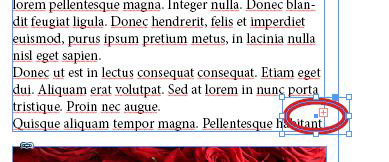
1) Click on the red plus at the bottom right corner of the frame with the text to "load" your cursor.
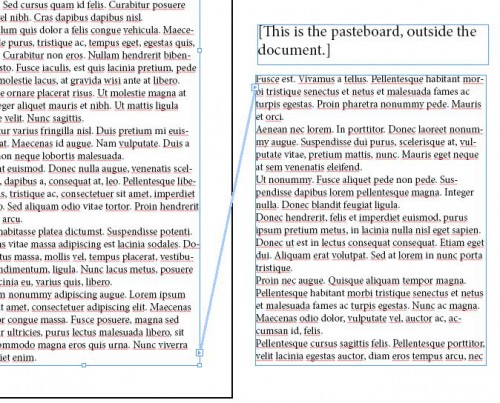
2) Hold the "Alt" key (or "Option" for Mac), and click in the text frame you want to use next. The text will pour into the frame, and the frames will be linked together (as seen by the text threads line shown across the picture when in Preview mode. It will not print this way, of course.)

3) Keep holding "Alt) and clicking in the frames where you want the text to flow.
4) If you run out of frames, or do not have any set-up ahead of time, keep holding the "Alt" key and click anywhere. All new text frames created this way (by clicking on the screen while holding "Alt" will ALSO be linked to the others, so everything continues to flow.
Happy text-flowing!


